
 All Courses


 5.0











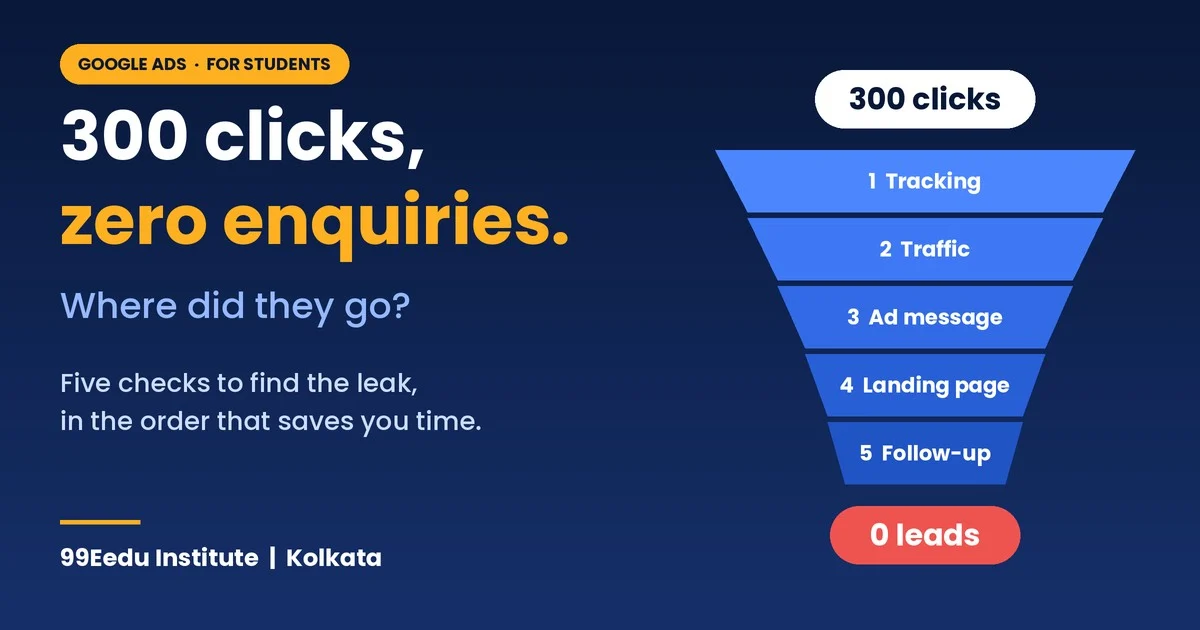
Google Ads clicks, but no leads, usually means the ad worked and something after the click broke. It almost always comes down to one of five things: tracking, wrong traffic, a mismatched ad, a weak landing page, or slow follow-up. At 99Eedu Institute in Kolkata, we teach beginners to check them in a fixed order, so they stop guessing. Below is that order, with one fix for each. You can try every step this week on a small budget.
What causes Google Ads clicks but no leads?
Six things cause it: broken tracking, wrong traffic, weak keywords, a page that breaks the ad’s promise, a poor lead signal, and slow follow-up. Here is each cause with its fix in one line.
| # | Cause | One-line fix |
|---|---|---|
| 1 | Tracking isn’t recording | Submit your own form and confirm the count moves |
| 2 | Wrong people click | Read search terms, add negatives, set location to Presence |
| 3 | Keywords bring browsers, not buyers | Score every keyword by cost per lead, then pause, narrow or promote |
| 4 | The page breaks the ad’s promise | Repeat the ad’s headline, speed up mobile, show fees and proof |
| 5 | Google counts junk as success | Count qualified leads, not raw form fills |
| 6 | Nobody replies fast | Call back within an hour during working hours |
When you see Google Ads clicks, but no leads, one of these six is almost always the cause. The rest of this guide shows how to find which one is hitting you.
Which level are you at with Google Ads clicks but no leads?
Start with the level that matches what you can already do in your account, and skim everything above it.
| Level | You are here if… | Your goal | Time |
|---|---|---|---|
| Beginner | You launched a campaign but can’t say if tracking works | Find out whether the problem is real or a reporting gap | Week 1 |
| Intermediate | Tracking works, but money goes to keywords that never convert | Find your winning and losing keywords | Weeks 2 to 4 |
| Advanced | You get leads, but many are junk or too expensive | Teach Google what a good lead looks like | Month 2 onward |
Whatever your level, the goal is the same: fix Google Ads clicks but no leads without burning more budget.
Beginner level: why do Google Ads clicks but no leads happen?
They happen because a lead needs six things to go right, and a click proves only the second one.
- Someone searches.
- Your ad appears, and they click.
- Your page loads and matches the promise.
- They fill the form or call.
- Google records it.
- You reply fast.
A broken step anywhere gives you the same sad dashboard: Google Ads clicks but no leads. So the first job is finding which step broke.
Is tracking or traffic behind Google Ads clicks but no leads?
Compare two numbers: the enquiries you really received, and the conversions Google Ads shows. Check your form entries, your inbox, your call log and your WhatsApp. Then look at the Conversions column.
| What you find | What it means | Where to look next |
|---|---|---|
| Real enquiries arrived, Google shows zero | Tracking gap | Tag status and a test submission |
| Both are zero | Traffic or page problem | Search terms report, then your page on a phone |
| Google shows leads, nobody picks up | Junk or fake leads | Call the last ten leads yourself |
| Leads pick up, nobody enrols | Follow-up or promise mismatch | Time to first call, ad versus page |
This one table saves most beginners a week of guessing.
When are Google Ads clicks but no leads a real problem?
Wait for roughly 50 to 100 clicks before you call it a problem, because small samples lie. Here is why. If your real conversion rate is 5%, you still get zero leads in 30 clicks about one time in five.
| Clicks with zero leads | If real rate is 2% | If real rate is 5% | If real rate is 8% |
|---|---|---|---|
| 30 | 54.5% chance | 21.5% | 8.2% |
| 50 | 36.4% | 7.7% | 1.5% |
| 100 | 13.3% | 0.6% | under 0.1% |
At a 5% rate, 100 clicks and no leads happens by luck only 0.6% of the time. Something is probably broken. At 30 clicks, it’s just noise.
This assumes your tracking works. Check that first, because Google Ads clicks but no leads on a tiny sample proves very little.
What is a normal conversion rate?
The WordStream and LocaliQ benchmark report (April 2025 to March 2026, covered by Search Engine Journal) puts the all-industry search ads average at 8.18%. That data comes from thousands of Google Ads and Microsoft Ads campaigns across 20 industries. It has no India figure. Treat it as a rough reference, not a target. One agency roundup lists an education conversion rate of 13.14%, while another source in the same roundup gives 4.3% for higher education with a stricter lead definition. The number depends on what you count as a lead.
Which basic terms do you need to know?
You need seven terms, and every report in Google Ads is built from them.
| Term | Plain meaning |
|---|---|
| Keyword | The phrase you bid on |
| Search term | What a real person actually typed |
| CTR | Clicks divided by impressions |
| CPC | What you pay per click |
| Conversion | An action you told Google to count, like a form fill |
| Cost per lead | Spend divided by leads |
| Negative keyword | A word that stops your ad showing for a search |
Keyword and search term are not the same thing. That gap causes half of all wasted spend.
Beginner fixes: five problems behind Google Ads clicks but no leads
Check these five in order. Each takes under an hour, and each one fixes a different break.
Problem 1: Is Google recording your leads?
Open Goals, then Conversions, then Summary, and read the status beside each conversion. Menu names change often, so look for the status column. You’ll see Recording, No recent conversions, or Tag inactive. Sometimes Google Ads clicks, but no leads is only what the dashboard shows, while real enquiries arrive and the tag misses them.
Then run my five-minute test. Submit your own form from your phone. Watch the tag fire in Google Tag Assistant. Come back after a day and see if the count moved. Some conversions report late, so don’t rebuild everything after ten minutes.
These are the usual suspects:
- The tag fires when someone clicks Submit, not when the form really goes through.
- Your Google Tag Manager container is saved but never published.
- Your WordPress form shows a message on the same page, so no thank-you page loads.
- A cookie banner blocks the tag until the visitor accepts.
- The tag sits on the home page only.
“Recording” is a good sign, not proof. Always submit a test.
Problem 2: Are the wrong people clicking?
Yes, more often than beginners expect, and the search terms report shows exactly who. Open it and read each line as if a real person typed it. Ask one question per row: would this person pay me?
If you sell a course, you’ll find searches with “free,” “pdf,” “jobs” and “salary.” Those people want a free file or a job. Add them as negative keywords.
Then check location. New campaigns default to “Presence or interest,” which also reaches people who only showed interest in your area. If you serve Kolkata, open Locations, then Location options, and choose “Presence.” Impressions may drop. That’s fine. Out-of-area clicks are a quiet source of Google Ads clicks but no leads, because those people can’t walk into your classroom.
Problem 3: Does your page keep the promise?
It must repeat what the ad promised within the first few seconds, or people leave. Try this now. Switch off Wi-Fi, search your own keyword on your phone and click your own ad. Then answer honestly:
- Does the headline match the ad?
- Does it load fast on mobile data?
- Is there one clear action: a form, a call button or a WhatsApp link?
- Can I see fees, duration, location and proof within one scroll?
- Does the form work every single time?
If the ad says “Digital Marketing Course in Kolkata” and the page opens with “Welcome to our institute,” you’ve broken the promise. That mismatch is a common reason for Google Ads clicks but no leads.
Problem 4: Does your form scare people away or invite bots?
A very short form brings more submissions but also more junk, so ask one or two qualifying questions. Course interest and city are enough. You lose a few submissions. You keep the serious ones.
Add a bot check such as reCAPTCHA. WordStream’s lead-quality guide also suggests hidden honeypot fields, so bot submissions never get recorded as conversions. Submit the form yourself every week, because forms break quietly.
Problem 5: Are you replying too late?
Call back within an hour during working hours, because a lead you reach tomorrow has often spoken to three competitors. That one hour is my own rule, not a Google rule. Pick a limit and track it.
Log every lead in a simple sheet: date, source, reached or not, interested or not. You’ll need this sheet at the Advanced level. Start it now.
Intermediate level: how do you fix Google Ads clicks but no leads at keyword level?
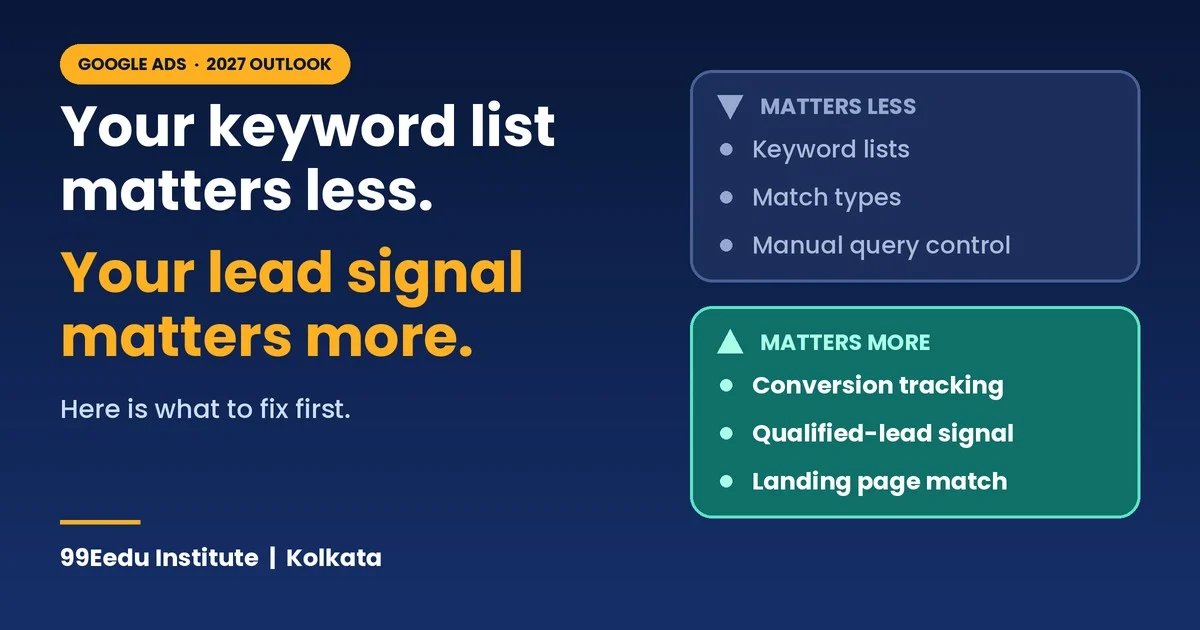
Score every keyword by what it costs you per lead, then pause, narrow or promote it. This is where most students stop learning, and where most money gets saved. Keyword waste is also why Google Ads clicks, but no leads often continues after tracking is fixed.
How do you build a keyword scorecard?
Add the right columns to your Keywords table, then sort by cost. In your Keywords view, add:
- Clicks
- Cost
- Conversions
- Conv. rate
- Cost / conv.
- Quality Score, plus its three parts: Exp. CTR, Ad relevance and Landing page exp.
Sort by Cost, highest first. The top rows show where your money goes. Your question for each row is simple: did this keyword earn its spend?
Segment by device and by network too. Click Segment, then pick Network with search partners. You may find one network or device burning cash.
How do you read search terms, not just keywords?
Look at search terms for every keyword that spends money, because a good keyword can still attract bad searches. Phrase and broad match let Google show your ad for words you never typed.
Here’s my routine. Open the search terms report each week. Sort by cost. Mark each row as keep, add as a keyword, or negative. Do it for ten minutes, not ten hours.
Two outcomes matter:
- A search term converts: add it as an exact or phrase keyword so it gets its own bid and ad.
- A search term spends and never converts: add it as a negative keyword.
How do intent buckets explain Google Ads clicks but no leads?
They explain it because people who type different words want different things, and only one group is ready to join. Sort your keywords and search terms into five buckets. These are practice examples for an institute.
| Bucket | Example search | Ready to enquire? |
|---|---|---|
| Join | “digital marketing course Kolkata fees“ | Yes |
| Compare | “best digital marketing institute Kolkata” | Maybe |
| Learn | “what is SEO” | No |
| Free | “digital marketing course free pdf” | No |
| Jobs | “digital marketing jobs Kolkata” | No |
Put your budget on Join first, then Compare. Block Free and Jobs. Treat Learn as a separate, cheap, optional test, never as your main campaign. A campaign full of Free, Jobs, and Learn searches will always show Google Ads clicks but no leads.
What should you do with each keyword?
Match each keyword to one of five states, then take one action.
| State | What you see | What to do |
|---|---|---|
| Winner | Leads at or below your target cost per lead | Protect it: exact or phrase match, own ad group, own page |
| Almost | Leads, but cost up to about double your target | Fix the ad and page for that keyword, then retest |
| Leaker | Spent about 2 to 3 times your target cost per lead, zero leads, and enough clicks | Pause it, or find the bad search terms and add negatives |
| Too early | Few clicks, no verdict yet | Wait. Don’t judge 12 clicks |
| Browser | Clicks and form fills, but leads don’t qualify | Treat it as a leaker unless follow-up proves otherwise |
The “2 to 3 times” line is my rule of thumb, not a Google number. Use it as a starting point and adjust to your margins.
Worked example: how six keywords create Google Ads clicks but no leads
Here, two keywords eat 31% of the spend and bring zero leads. These are practice numbers with a target cost per lead of ₹800.
| Keyword | Clicks | Cost | Leads | Cost per lead | Action |
|---|---|---|---|---|---|
| digital marketing course kolkata fees | 42 | ₹1,680 | 4 | ₹420 | Winner: exact match, own page |
| digital marketing institute kolkata | 55 | ₹2,420 | 3 | ₹807 | Almost: add proof to the page |
| best digital marketing course | 80 | ₹3,200 | 1 | ₹3,200 | Narrow it: add Kolkata, test again |
| digital marketing course free | 64 | ₹1,920 | 0 | none | Negative: “free” |
| digital marketing jobs kolkata | 38 | ₹1,520 | 0 | none | Negative: “jobs” |
| seo course | 12 | ₹480 | 0 | none | Too early |
Total spend is ₹11,220 for 8 leads, so ₹1,402 per lead. The “free” and “jobs” keywords cost ₹3,440, which is 30.7% of the spend. Block them and move that money to the winner. That’s the whole skill.
How do you optimise keywords, step by step?
Follow six steps in this order, and change a little at a time.
- Add negatives from your search terms report.
- Promote winners to exact or phrase match with their own ad group.
- Split mixed ad groups so each holds one tight theme.
- Rewrite the ad and page to use the winning keyword’s words.
- Adjust bids up on winners and down on almost-winners.
- Wait one full conversion cycle before judging the change.
A conversion cycle is how long a click usually takes to become a lead. Google’s own guidance says to allow at least one conversion cycle after a change before you judge results.
How do negative keywords work, and how many is too many?
Negative keywords block searches you don’t want, and they match more strictly than normal keywords. They don’t automatically cover close variants, so add common spellings and plurals yourself.
Build shared negative lists for repeat offenders: free, jobs, salary, pdf, download, login. Apply them across campaigns.
Watch for a warning sign. WordStream’s lead-quality guide says that if you’re adding negatives for more than 10% of your search terms, stop. Review your keywords, match types, bidding and tracking first. Too many negatives usually mean the keyword list is the real problem.
How do match types change lead quality?
Exact is safest, broad is riskiest, and broad only works when your conversion signal is clean.
| Match type | What it can show for | Lead-quality risk | Use it when |
|---|---|---|---|
| Exact | Searches with the same meaning as your keyword | Lowest | The keyword has proven it converts |
| Phrase | Searches that include your keyword’s meaning, with extra words | Medium | You want more reach with some control |
| Broad | Related searches, using signals beyond your words | Highest | You track qualified leads and read search terms daily |
Google is pushing everyone toward broad and AI-driven matching, which I cover in the 2027 section. Build a core of exact and phrase keywords first. Test broad in a separate campaign.
Which Quality Score signals should you fix first?
Fix the weakest of the three parts, not the headline number. Quality Score is a diagnostic, not a goal, and each part is rated Above average, Average or Below average against competitors on the same keyword.
| Weak part | What it means | Quick fix |
|---|---|---|
| Exp. CTR | Your ad isn’t compelling for this search | Rewrite headlines around the words people typed |
| Ad relevance | Ad and keyword don’t match intent | One keyword theme per ad group |
| Landing page exp. | The page doesn’t help after the click | Match the ad, speed up mobile, simplify |
Ad relevance moves fastest, since copy changes in a day. Landing page changes take longer because Google needs time to re-check the page. Google doesn’t publish exact weights, so ignore anyone who quotes percentages.
Should you turn off Search Partners?
Search Partners are third-party sites and apps that can show your Search ads. New Search campaigns have the option ticked by default.
To see performance, click Segment and choose Network with search partners. Compare cost per conversion and, if you track it, lead quality.
Consider turning it off if the gap stays material for more than a month, or if your budget is small and you want it on the highest-intent traffic. Go to Settings, then Networks, and untick the option. You can’t exclude single partner sites, only the whole network. Don’t decide from one bad week.
Advanced level: how do you stop paying for junk leads?
You teach Google what a good lead looks like, because Google can only chase the signal you give it. If every form fill counts as a win, Google buys more form fills. Including the fake ones. Junk leads are just Google Ads clicks but no leads in disguise.
What is a qualified-lead signal?
It’s a conversion that only counts after a lead passes a quality check, such as being reachable and a real fit. Think of a ladder.
| Level | Signal | Example | Use |
|---|---|---|---|
| 0 | Click | A visit | Not a lead |
| 1 | Raw form fill | Name and number typed | Easy to fake |
| 2 | Reachable lead | The number works, and they answered | Track in your sheet |
| 3 | Qualified lead | Right course, right city, can pay | Best signal for Google |
| 4 | Enrolment | Fee paid | Strongest, but slow and rare |
Optimise for Level 3 once you have enough volume. Until then, Level 1 with strong form checks is a reasonable start.
Google’s lead-generation guidance says goals such as qualified lead or converted lead trigger invalid-traffic protections built for lead generation. It also says the action should have at least 15 conversions in the last 30 days at the account level. A tiny account may need patience.
How do offline conversion imports work for a small team?
You send your real outcomes back to Google, so it learns from qualified leads instead of raw form fills. The steps are simple. The setup takes care.
- Capture the Google click ID (GCLID) in a hidden form field. Ask your developer for help if you’re on WordPress.
- Log each lead’s outcome in a sheet: lead ID, click ID or hashed email and phone, outcome, time.
- Upload on a schedule. Google’s help page recommends Data Manager and calls the older offline import a legacy feature. Scheduled uploads can come from Google Sheets, HTTPS or SFTP.
- Wait 24 to 48 hours for processing. Upload an extra day’s data each time, because conversions within a day of the click may not be recorded yet.
Enhanced conversions for leads add hashed email or phone data to match leads that lack a click ID. Hash it with SHA-256 after normalising it. Accept the customer data terms in your account first. And match your conversion action’s name exactly, or the upload fails.
When should you use Smart Bidding on leads?
Use it once tracking is clean, and judge it after one or two conversion cycles, not one day. Google doesn’t state a fixed minimum number of conversions. It does say to wait a few conversion cycles after setting up tracking before you adopt a new strategy.
Practitioners add a rule of thumb. WordStream’s lead-quality guide suggests starting with Maximise conversions and moving to target CPA at roughly 30 conversions a month per campaign. If your volume is lower, portfolio strategies can pool learning across campaigns.
Set your first target from your own history. Google suggests using a window that excludes the most recent days affected by conversion delay. Never set a target far below what you really pay. A wild target just starves the campaign.
Can value-based bidding and lead scoring help?
Yes, if you can give different leads different values. Google’s documentation says conversion values can be real revenue or proxy values, like a lead score.
A practical example: a reachable lead is worth ₹100, a qualified lead ₹500 and an enrolment ₹5,000. Pass those values back, and bidding starts chasing the higher-value searches instead of the highest count.
Don’t invent values you can’t defend. Base them on your real enrolment rates. If you can’t assign different values, Google suggests target CPA on qualified or converted leads instead.
How do fake leads hide Google Ads clicks but no leads?
Assume some leads are fake and check them, because a Google help page says its filters don’t stop fake form fills on their own. Industry coverage reported that page in September 2026. Lead quality is a shared job between Google and you.
Warning signs: invalid numbers, repeated details, leads from areas you don’t serve, form fills in odd bursts, and cheaper leads that nobody answers.
Fixes that work together:
- reCAPTCHA and honeypot fields on the form
- Qualifying questions
- A weekly call to ten recent leads
- A conversion that counts qualified leads, not raw submissions
A cheap fake lead isn’t a bargain. It teaches Google to find more of them.
Why must you respect conversion lag?
Because a click today may become a lead days later, and recent data always looks worse than it is. If you judge yesterday’s keywords today, good ones look dead.
Wait at least one full conversion cycle before judging a change. Look at older data, not just the last three days. And don’t change bids and budgets daily, since constant edits make it impossible to know what worked.
How do you test changes without guessing?
Change one thing at a time, and test it against the old version. Google Ads has campaign experiments for this. Industry guidance on the DSA change suggests running AI Max experiments against existing DSA campaigns before the 2027 migration.
A clean test looks like this. Duplicate the campaign. Change one setting, such as location from Presence or interest to Presence only. Run both for several weeks. Let the leads decide, not your hunch. One agency suggested two to four weeks when testing location settings. Allow longer if your lead volume is low.
Which reports make the final call?
Judge campaigns on cost per qualified lead, not cost per click or cost per form fill.
| Metric | What it tells you |
|---|---|
| Cost per lead | Your cost to get any enquiry |
| Cost per qualified lead | Your cost to get a real prospect |
| Qualified-lead rate | Share of enquiries that are worth a call |
| Lead-to-enrolment rate | What your follow-up delivers |
| Time to first call | Whether you’re losing leads after the click |
Report these by keyword, campaign and landing page. The keyword with the lowest cost per lead is not always the winner. Sometimes it’s the one with the best qualified-lead rate.
What changes in 2027 for Google Ads clicks but no leads?
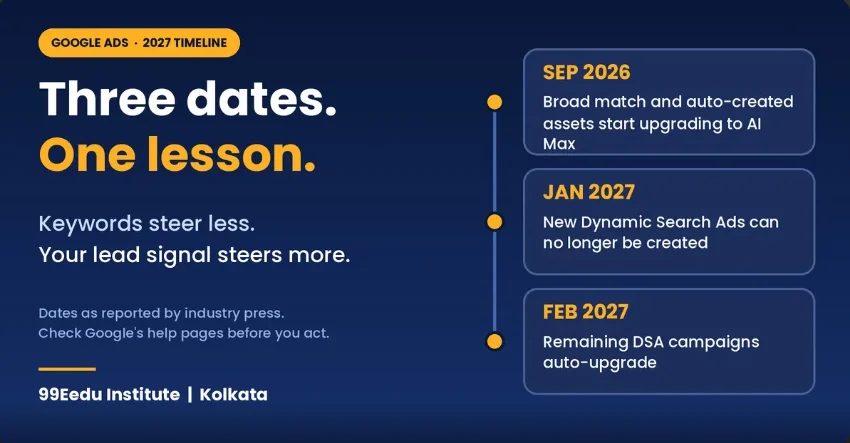
I can’t verify a single named “2027 Google algorithm update,” so I won’t invent one. What I can verify are changes Google has announced and industry reports have covered. Together they push in one direction: less control through keyword lists, and more weight on the quality of your conversion signal. None of them removes the basic cause of Google Ads clicks but no leads.
| Change | Reported date | What it means for lead quality | What to do |
|---|---|---|---|
| Campaign-level broad match and automatically created assets upgrade to AI M.ax | Starting September 2026 | Search term matching turns on, so keywords control less | Read search terms, set qualified-lead conversions |
| New Dynamic Search Ads can’t be created | January 2027 | Page-based targeting moves to AI Max | Run an AI Max experiment before moving |
| Remaining DSA campaigns auto-upgrade to Performance Max or AI-powered Search. | February 2027 | Search term matching, text customisation and final URL expansion switch on by default | Migrate on your own schedule, check final URLs |
| Google help page on invalid leads | September 2026 | Filters don’t stop fake form fills alone | Add form checks, count qualified leads |
| Ads inside AI Overviews and AI Mode | Rolling, varies by country and language | Reach tied to broad or AI-powered targeting | Check eligibility in your own account |
Dates come from industry reports of Google’s announcements, and Google can change them again. Check Google’s help pages before you act.
What happens to Dynamic Search Ads in 2027?
Google moved the automatic DSA upgrade to February 2027, after first planning September 2026. PPC Land reported the delay in the announcement on June 11, 2026. Creating new DSA campaigns ends in January 2027.
When a DSA campaign migrates, dynamic ad groups become standard ad groups. Search term matching, text customisation and final URL expansion switch on by default. Legacy URL controls are preserved.
For lead quality, the key word is final URL expansion. It can send people to a page you didn’t choose. That breaks the ad-to-page match you fixed at the Beginner level. Check the URLs after you migrate.
How does AI Max change keyword control?
It gives you less control by keyword, so you control it with conversion signals, negatives and reports. AI Max uses signals beyond your keyword list, such as your landing page and ad copy, to match searches. Broad match campaigns that auto-upgrade arrive with search term matching on.
My guardrails for a small budget:
- Feed it qualified leads first. Without a clean signal, it goes after anything that converts. Junk included.
- Test it in a separate campaign. Don’t let it eat your core campaign’s budget.
- Read search terms daily for two weeks. Look at the combined view of search term, headline and URL.
- Don’t trust keyword reports alone. One agency noted that when AI Max is on, searches that would have matched your exact keywords can get credited to AI Max in reports.
AI Max isn’t bad. It’s powerful, and it multiplies whatever signal you feed it.
What about ads in AI Overviews and AI Mode?
Ads can now appear above, below or inside AI Overviews, depending on region, language, eligibility, campaign type and intent, according to industry write-ups of Google’s changes. Those write-ups also say these placements lean on broad match, AI Max, Performance Max or Shopping campaigns.
I couldn’t confirm how this rolls out in India, so check your own account. Don’t assume clicks from these placements convert better or worse. Test them with your own data, using your search terms and landing page reports.
What stays the same in 2027?
The basics stay the same: a searcher needs an ad and a page that match their need. A slow, confusing page still loses people. A lead nobody answers is still worth nothing.
So here’s the skill shift for you as a student. Keyword lists matter less every year. Tracking, lead quality and landing pages matter more. Learn those, and you’ll stay useful however Google rearranges the buttons. Whatever changes next, Google Ads clicks, but no leads will still trace back to the same six layers.
Your 30-60-90 day plan to fix Google Ads clicks but no leads
Fix one layer at a time, in this order, and write down what changed.
| When | Focus | Done when |
|---|---|---|
| Days 1 to 7 | Tracking, location, form, follow-up speed | A test form moves the conversion count |
| Days 8 to 30 | Search terms, negatives, keyword scorecard | Every keyword has a state: winner, almost, leaker or too early |
| Days 31 to 60 | Qualified-lead tracking, offline import, bidding | Google receives at least one quality signal |
| Days 61 to 90 | Experiments, AI Max test, reporting | You track cost per qualified lead by keyword |
Print this table and tick it off. It turns Google Ads clicks but no leads into a checklist instead of a panic.
What does the 99Eedu Institute course cover?
You get Google Ads training inside our AI-Powered Digital Marketing Course, which runs for 96 hours and costs ₹35,000. EMI starts from ₹4,000 at 0% interest, and you can attend in the classroom or online. Our trainers include Jaya Roy, a senior digital marketing specialist with 8 years of experience in SEO, Google Ads, Meta Ads, and lead generation, and Year Ali (Yeash), a senior SEO and PPC specialist with 5 years of experience. Check the current fees and batch dates with our team before you enrol, because they can change.
Will you practise on a live campaign?
Yes, practical training on live projects is how we teach, so you won’t just read slides. That means a Google Ads course with live campaign work: you set up tracking, read real search terms, and fix a campaign suffering from Google Ads clicks but no leads. Mock interviews and placement guidance come with the course.
What should you ask before joining any institute?
Ask three questions before you pay, whichever institute you pick. If you’re weighing a Google Ads course in Kolkata, ask:
- Will I run a real campaign, or only watch one? Look for hands-on work, not a screen share.
- Will I learn tracking setup? If the answer is “we cover that later,” walk away. Tracking comes first, as you saw above.
- Who teaches me, and what have they run? Ask for the trainer’s years of experience and the platforms they’ve worked on.
If you’re comparing options, a Google Ads training in Kolkata that includes tracking, lead quality, and live practice will serve you far better than one that only covers ad types. The same goes for any PPC course in Kolkata or performance marketing course Kolkata students consider: pick the one where you touch a real account.
About the Author
Year Ali (Yeash) is a Senior SEO & PPC Specialist and trainer at 99Eedu Institute in Kolkata, with 5 years of hands-on experience in SEO, Google Ads, and Meta Ads. He teaches students to run campaigns that bring real leads, not just clicks, starting with tracking and lead quality. In this guide, he shares the checks to run when a campaign gets clicks but no leads.
Source:(LinkedIn profile).
People Ask Question
Q1. Why am I getting Google Ads clicks but no leads?
Usually tracking is broken, the traffic is wrong, or the page doesn’t match the ad. Compare the enquiries you received with the conversions Google shows. If both are zero, fix traffic and the page. If only Google shows zero, fix tracking.
Q2. How many clicks should I wait before pausing a keyword?
Wait until it has spent about two to three times your target cost per lead with no leads. Fifty or more clicks is a sensible floor. Pausing a keyword on twelve clicks mostly pauses luck.
Q3. How do I find which Google Ads keywords are converting?
Add Clicks, Cost, Conversions, Conv. rate and Cost / conv. to your Keywords table, then check search terms. Sort by cost. Winners show leads under your target cost. Leakers show spend and no leads.
Q4. Does AI Max fix Google Ads clicks but no leads?
No. AI Max finds more searches but can’t tell which leads are good. Feed it qualified-lead conversions first, test it in a separate campaign, and read search terms daily for two weeks.
Your Next Step: Check Your Conversion Status Today
Open your Google Ads account today and check your conversion status before you touch anything else. If it says Recording, move to your search terms report. If it says No recent conversions or Tag inactive, fix that first, because nothing else will work without it.
Want to learn this on live campaigns instead of guessing alone? Book a free demo class at 99Eedu Institute and see how our AI-Powered Digital Marketing Course teaches Google Ads, tracking, and lead quality step by step.
Call or WhatsApp: +91-8777517741
Visit us: 42/1 Dum Dum Road, Kolkata 700074
Share on:

Quick Enquiry
Please fill up the form and we will get back to you in next 12 hours!
