
 All Courses

 5.0





If you are a student or fresher, you have probably wondered: can AI replace graphic designers in 2027? No, but it is changing what a designer’s job looks like. AI can make a poster, a logo idea, or a full layout in minutes, and that can feel scary when you are still learning. But a machine does not know your client’s customers, and it cannot tell why a sweet shop in Kolkata needs a warmer look. Clients still pay for human ideas and good judgment.
The real risk is learning only one side: software without AI makes you slow, and prompts without design skills leave you unable to judge your results. At 99Eedu Institute, we teach both together, so you can create, judge, and fix your own work.
Can AI replace graphic designers in 2027?
No, AI will not replace graphic designers in 2027, but it will replace designers who refuse to use it. I say this after watching our classrooms at 99Eedu Institute change over the last few years. Students who once spent four hours on a mood board now finish it in forty minutes. The thinking behind the board still takes them just as long.
Here is the split I see every week:
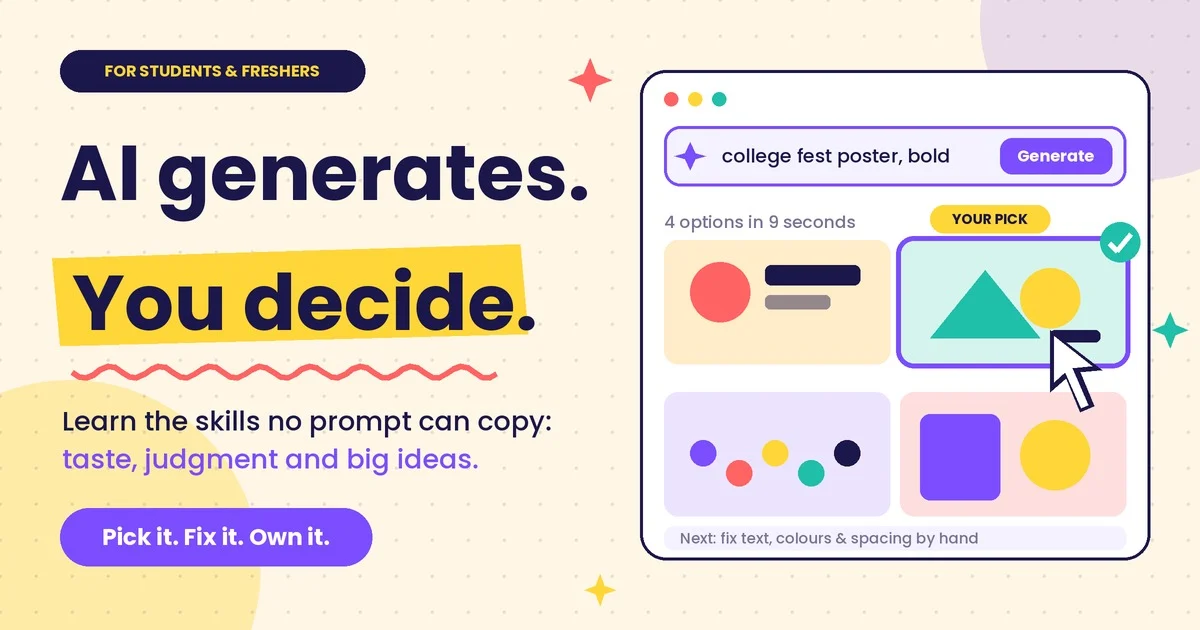
- AI is strong at: speed, variations, rough concepts, background cleanup, resizing, and first drafts.
- AI is weak at: understanding a client’s real problem, brand judgment, cultural nuance, and saying “this looks good, but it is wrong for this audience.”
A client does not hire a designer to get a picture. A client hires a designer to solve a business problem with visuals.
Your takeaway: stop asking whether AI will take your job. Start asking which parts of your workflow a machine should do so you can spend your hours on the parts only you can do.
What can AI already do better than most beginners?
AI already beats most beginners at speed, volume, and technical polish on single images. I will not pretend otherwise. If a fresher’s only skill is making a clean poster from a template, that skill is under pressure right now.
Look at what a modern AI graphic design generator can do in a few minutes:
| Task | Old way | AI way in 2027 |
|---|---|---|
| Social media post concepts | 2 to 3 hours | 5 to 10 minutes for 20 options |
| Removing a background | 15 to 30 minutes | A few seconds |
| Extending an image to a new size | Manual redraw or crop | One click |
| Product mockup scenes | Photoshoot or stock hunt | A prompt and a reference image |
| Colour palette ideas | Browsing and guessing | Instant, from a mood or a photo |
| Rough logo directions | A day of sketching | An hour of prompting and sorting |
See the pattern? Every row is a production task. None of them is a decision. Somebody still has to pick which of the twenty options is right, and why.
Your takeaway: if you can only execute, you are competing with a machine that never sleeps. If you can choose, explain, and refine, you are the person the machine works for.
What can AI still not do?
AI still cannot understand a brief, own a brand, or take responsibility for a result. Those three gaps are where graphic designers earn their fees.
AI cannot interview a client.
Real briefs are messy, and AI cannot read between the lines. A small sweet shop owner in Kolkata says, “Make my logo modern.” What she means is, “My daughter says our packaging looks old and we are losing young customers.” A designer hears that. A prompt box does not.
AI cannot keep a brand consistent for years
Brand consistency needs memory, rules, and judgment across hundreds of touchpoints. Image generators are getting better at style references, but they still drift. One week the mascot has four fingers, the next week the green is slightly off. Designers build systems. Generators build one-offs.
AI cannot carry legal and ethical weight
Somebody has to be accountable for what gets published. Copyright questions around AI images are still being fought out in courts and policy offices in different countries. Clients want a human who checks usage rights, avoids lookalike problems, and signs off. That person is you.
AI cannot feel a culture
Cultural nuance is the hardest thing to automate. A Durga Puja campaign, a Poila Baisakh offer, a Bengali typography choice: these need someone who has lived with them. I have seen AI produce Bengali text on posters that looks right at a glance and reads as gibberish up close. A local designer catches that in two seconds.
Your takeaway: build skills in the right-hand column of that gap. Client communication, brand systems, typography, and cultural sense will keep you employed.
Which graphic design jobs are most at risk?
If AI replace graphic designers anywhere first, it is in low-complexity, high-volume work, while strategy-heavy work stays safest. I would rather you hear this from me now than from a rejection email later.
| Type of work | Risk from AI in 2027 | Why |
|---|---|---|
| Basic social media templates | High | Tools generate and resize these in seconds |
| Stock-style illustration | High | Image generators produce it cheaply |
| Simple banner and ad variations | High | Automated A/B variation is now standard |
| Logo design for tiny budgets | Medium to high | Cheap generators flood this market |
| Packaging and print design | Medium | Needs dielines, materials, and printer knowledge |
| Brand identity systems | Low | Needs strategy, research, and long-term thinking |
| Art direction and creative leadership | Low | Pure judgment and client trust |
| UI/UX and motion design | Low to medium | AI assists, but flows and usability need humans |
Notice what happens in the middle. Entry-level work is shrinking, and that hits freshers hardest. The first rung of the ladder is getting slippery.
Your takeaway: do not build your portfolio only from template posters. Show thinking, process, and problem-solving. Recruiters now scroll past pretty-but-empty work.
How does AI help graphic designers every day?
AI helps graphic designers by taking over repetitive production so they can focus on ideas and client work. The designers I respect most use it all day and still make every final call.
Faster ideation
AI can give you thirty rough directions before your chai gets cold. Type a brief, a mood, and a reference. Scan the results. You will find two or three directions worth sketching properly. The other twenty-seven teach you what to avoid.
Cleaner editing
AI handles the boring edits. Generative fill, object removal, background replacement, upscaling low-resolution client photos, and colour matching all happen in moments now. A task that used to eat an afternoon is a coffee break.
Quicker mockups
AI turns flat designs into believable presentations. Put your logo on a shopfront, a tote bag, or a packet of namkeen. Clients say yes faster when they can see the result.
Smarter copy and layout support
AI can draft headline options and suggest layout structures. I treat these as a junior assistant’s work. Useful, never final.
Better handoff and resizing
AI resizes one design into every format a campaign needs. Instagram post, story, YouTube thumbnail, print flyer, WhatsApp banner. One master design, many outputs, with you checking each one.
Your takeaway: list the five most boring tasks in your design week. Find an AI feature that cuts each one in half. Do that this month.
What are the best AI tools for graphic design in 2027?
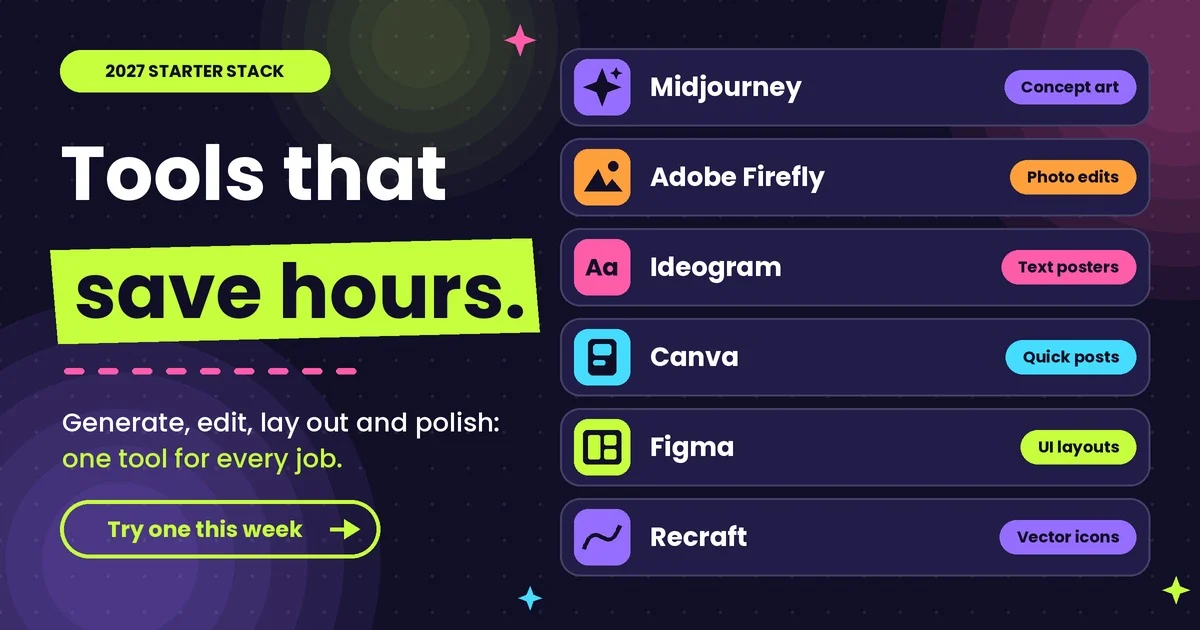
The best AI tools for graphic design are the ones that fit inside your existing workflow, and for most students that means Adobe Firefly and Photoshop, Canva, Midjourney, and Figma. Tools change quickly, so treat this table as a starting kit, not a permanent ranking. Check each tool’s current pricing and licence terms before using it for client work.
| Tool | Best for | Who should start here |
|---|---|---|
| Adobe Firefly and Photoshop Generative Fill | Editing photos, extending images, commercial-safe generation workflows | Students already learning Adobe software |
| Midjourney | High-quality concept art, moody visuals, stylised imagery | Anyone building a creative portfolio |
| Canva (Magic Studio tools) | Fast social posts, presentations, resizing | Freshers doing freelance social media work |
| ChatGPT image generation | Conversational image creation and quick edits | Beginners who want to describe, then refine |
| Leonardo AI | Game-style art, product visuals, style consistency | Students who like experimenting |
| Ideogram | Images with readable text, posters, typography ideas | Poster and logo concept work |
| Stable Diffusion (local or hosted) | Deep control, custom styles, advanced workflows | Technical students who want full control |
| Figma with AI features | UI layouts, wireframes, design systems | Anyone heading toward UI/UX |
| Recraft | Vector-style graphics, icons, brand visuals | Logo and icon designers |
| Remove. BG-style background tools | Cutouts and product photos | Everyone, daily |
If you search for “graphic design AI tools” or “AI tools for graphic design,” you will find hundreds more. Ignore most of them. Learn three tools well instead of thirty badly.
Your takeaway: pick one generator (Midjourney or Firefly), one editor (Photoshop), and one layout tool (Canva or Figma). Master that trio for ninety days.
How do you create images fast with AI?
You create images fast with AI by writing a specific prompt, generating many options, picking one, and then fixing it by hand. Speed does not come from the machine alone. It comes from a repeatable process. This is the six-step workflow I teach in class.
Step 1: Write the brief first
Start with a one-line brief, not a prompt. Who is this for? What should they feel? Where will it appear? If you cannot answer those three questions, no tool will save you. A prompt without a brief produces pretty nonsense.
Step 2: Use a prompt formula
A good prompt has five parts: subject, style, composition, lighting, and purpose. Here is the formula:
[Subject] + [Style or medium] + [Composition] + [Lighting and colour] + [Purpose or format]
Example for a Kolkata cafe poster:
A steaming cup of cutting chai on a wooden tram-stop bench, warm illustration style, centred composition with space on the top for text, golden evening light with teal shadows, vertical Instagram poster format.
Compare that with “chai poster.” The first gets you something usable. The second gets you stock-photo soup.
Step 3: Generate in batches
Always generate four to eight variations, never one. The first result is rarely the best. Run a batch, look for the strongest composition, and then ask for variations of that one.
Step 4: Pick with your design eye
Choose based on hierarchy, balance, and brand fit, not on what looks flashy. This is where your training pays off. Ask: where does the eye land first? Is there room for text? Does it match the client’s tone?
Step 5: Fix it by hand
Never deliver raw AI output. Open it in Photoshop or Firefly. Fix hands, clean edges, correct text, adjust colour, upscale. Ten minutes of manual polish separates professional work from the stuff that screams “made by AI.”
Step 6: Check rights and save your process
Check the tool’s licence for commercial use and keep a record of your prompts and edits. Clients ask. So do employers. A saved process also becomes a case study for your portfolio.
Your takeaway: time yourself on one image using this workflow. Most of my students cut a four-hour task to under one hour in their first week.
Which AI tool should you use for which type of image?
Use Midjourney for concept art, Firefly or Photoshop for photo editing, Ideogram for text-heavy posters, Recraft for vector icons, and Canva for fast social posts. Wondering whether AI can replace graphic designers? Not when you pick the right tool for each job yourself. That choice saves hours of frustration, and it is a skill AI cannot do for you.n.
| What you want to make | Try this first | Sample prompt idea |
|---|---|---|
| Product hero image | Midjourney or Firefly | “Matte black water bottle on wet slate, soft studio light, minimal background, e-commerce hero shot” |
| Festival campaign poster | Ideogram | “Poila Baisakh sale poster, red and white palette, alpana pattern border, bold headline space” |
| App icon set | Recraft | “Set of six flat vector icons for a food delivery app, rounded shapes, consistent stroke” |
| Website banner background | Firefly | “Abstract gradient waves in navy and coral, wide format, clean space on the left for text” |
| Social media carousel | Canva | Start with a brand template, then generate supporting images inside it |
| Photo cleanup | Photoshop Generative Fill | Select the area, then describe what should replace it |
| Mood board | Midjourney | “Mood board for a handmade jewellery brand, earthy tones, textured paper, warm natural light” |
Small tip I repeat constantly: when AI struggles with text on an image, generate the picture without text, then add real typography yourself. Your fonts, your spacing, your control.
Your takeaway: save five prompt templates in a notes app today. Reuse and tweak them. Speed comes from not starting from zero.
What does the 2027 search shift mean for new designers?
It means your portfolio and your expertise now need to be findable by AI answer engines, not just by Google’s blue links. Search in 2027 leans on AI-generated summaries and answer panels, and the idea behind generative engine optimisation (GEO) is simple: make your content easy for an AI to read, trust, and quote.
I cannot promise you a ranking formula, and anyone who does is selling something. What I can tell you is what keeps working:
- Show real experience. Case studies with your process, mistakes, and results beat generic galleries.
- Answer questions directly. Short, clear answers at the top of a page get picked up more often.
- Use plain structure. Headings, tables, and short lists help both people and machines scan your work.
- Name yourself consistently. Same name, same portfolio link, same bio across LinkedIn, Behance, and Instagram.
- Add context to images. Descriptive file names and alt text explain what a project is and who it was for.
This applies to clients hunting for a freelancer and recruiters hunting for a fresher. If an AI assistant is asked, “Who can design packaging for a Kolkata sweet brand?” you want your name to be an easy answer.
Your takeaway: write one detailed case study this week. Include the brief, your process, two rejected ideas, and the final result. That single page does more for you than ten polished but silent thumbnails.
How do you learn AI-powered graphic design from zero?
You learn it in three layers: design fundamentals first, software second, AI tools third. That order is the answer for anyone asking whether AI can replace graphic designers: it replaces designers who only type prompts, not those who understand design. Reverse the order, and you become a prompt typist with no foundation. This is the 90-day plan we recommend to students and freshers.
Days 1 to 30: Fundamentals
Learn the rules before you let a machine break them for you. Focus on:
- Typography, including pairing fonts and reading hierarchy
- Colour theory and contrast
- Layout, grids, and white space
- Basic branding concepts
- Photoshop, Illustrator, or Figma basics
Days 31 to 60: Software plus first AI tools
Add one generator and one editor, and use them on real mini-briefs. Redesign a local shop’s Instagram profile. Make a poster for a college event. Use AI for ideas and mockups, and do the final layout yourself.
Days 61 to 90: Portfolio and client simulation
Build three complete case studies that show your thinking. Each should include a brief, research, three directions, a final design, and a short note on where AI helped and where you overruled it. That last note impresses hiring managers more than you would expect.
A weekly routine that works.
| Day | Focus | Time |
|---|---|---|
| Mon | Fundamentals practice (type, colour, grid) | 90 min |
| Tue | Software skills (Photoshop, Illustrator, Figma) | 90 min |
| Wed | AI image generation experiments | 60 min |
| Thu | Mini-brief project | 2 hours |
| Fri | Review and polish one design by hand | 90 min |
| Sat | Portfolio or case study writing | 2 hours |
| Sun | Rest, or study designers you admire | Optional |
Your takeaway: consistency beats intensity. One focused hour a day for ninety days will take you further than a ten-hour weekend binge once a month.
What should you look for in a graphic design course in Kolkata?
Look for a graphic design course in Kolkata that teaches fundamentals, industry software, AI tools, and portfolio building under working practitioners. Students often ask me, ” Can AI replace graphic designers? It can replace those with shallow skills, so skip any course that sells only AI shortcuts, or only old-school software with no AI.
If you are comparing options for graphic design training in Kolkata, use this checklist:
| Question to ask | Why it matters |
|---|---|
| Who teaches the classes, and do they work on live projects? | Practitioners teach what the market wants now |
| Does the syllabus include AI tools alongside Photoshop, Illustrator, and Figma? | You need both in 2027 |
| Will I build a portfolio during the course? | A portfolio gets interviews; certificates alone rarely do |
| What is the batch size? | Small batches mean real feedback |
| Is there placement or freelance guidance? | Skills need a path to income |
| Can I attend a demo class first? | You should see the teaching before you pay |
| Is the fee structure clear? | No surprise add-ons later |
How much do graphic design courses cost in Kolkata?
Graphic design course fees in Kolkata usually cost between ₹20,000 and ₹50,000 for short certificate programmes, but prices run from a few thousand rupees to several lakhs depending on the course type. Certificate programmes of 3 to 6 months are commonly listed at ₹20,000 to ₹50,000. Here is what else the market shows:
- Budget options: Basic certifications start as low as ₹2,999, and a diploma in visual communication is listed at ₹60,000.
- Higher-priced certificates: Some graphics and web design certificate courses are listed at ₹1,50,000.
- Full degrees: A 3-year private college BSc in multimedia, animation and graphic design totals about ₹4.37 lakh.
Why the gap is so wide: duration, the number of software tools covered, trainer experience, batch size, and whether AI training and portfolio work are included all change the price.
What does it cost at 99Eedu Institute?
Students often ask me whether AI will replace graphic designers, so we priced our course at ₹20,000, including 18% GST, to make the answer easy to act on. You learn design fundamentals, software, AI tools, live-style projects and portfolio building over 3 to 6 months with Subham Ghos and Suman Dutta. Ask our team for the full inclusion list and instalment options before you enrol.
Finding graphic design classes near me
Search for graphic design classes near me, then shortlist two or three institutes and attend a demo before deciding. Location matters less than teaching quality, but a manageable commute helps you stay consistent. If you live in the city or nearby, check whether a hybrid option (some online, some in-person) fits your schedule.
How Students Learn Graphic Design with AI at 99Eedu Institute
Students learn graphic design with AI at 99Eedu Institute in a clear order: design basics first, then software, then AI tools, then real projects. Starting with design basics means you can judge every AI image, not just generate it. You practise on client-style briefs, get feedback from your trainers, and finish with a strong portfolio that shows your thinking to future employers and clients.
Who teaches you?
Senior graphic designers Subham Ghosh and Suman Dutta lead your training. They teach what clients expect from a designer, not just where the tool buttons are.
What do you learn, step by step?
You learn in four stages, and each one builds on the last.
- Fundamentals: typography, colour, layout, branding basics
- Software: Photoshop, Illustrator, Figma, Canva
- AI tools: Firefly, Midjourney, Ideogram, prompt writing, mockups
- Real projects: client-style briefs and portfolio case studies
How does AI help you learn faster?
AI helps you learn faster by cutting the time between an idea and a visible result. You test ten layouts instead of two. You see your logo on a bag or shopfront the same day. Your trainers then show you what to keep, fix, or delete.
What will you build?
You will build a portfolio of case studies that show your thinking. Expect a brand identity, a social media campaign, a packaging mockup, and one project that explains where AI helped and where you overruled it.
Who is this course for?
It is for students, graduates, and freshers who want to be hireable, not just certified. You do not need a design background.
How do you choose the right institute?
Choose by what you can see, not by what is promised. Whether you are comparing a graphic design Course in Kolkata for the first time or looking for the best graphic design institute in Kolkata for your goals, ask for the syllabus, meet the trainers, and sit in a demo class.
Your takeaway: write down your budget, schedule, and career goal before visiting any institute. Compare each one against those three lines.
What does the future of graphic design with AI look like?
The future of graphic design with AI belongs to designers who combine taste, strategy, and tool fluency. I do not expect a world without designers. I expect a world with fewer production-only roles and more hybrid roles.
Here are the shifts I am planning our teaching around:
- Designers become creative directors of AI. You brief, steer, and judge. The machine drafts.
- Portfolios will show process. Employers want proof you can think, not just prompt.
- Niche skills gain value. Packaging, motion, brand systems, and regional-language typography are harder to fake.
- Speed becomes the baseline. Clients will expect faster turnaround. Your edge will be quality and judgment inside that speed.
- Ethics and licensing knowledge become selling points. Designers who can explain safe usage win trust.
And yes, some roles will disappear. Pretending otherwise would be dishonest. But new ones keep appearing: AI visual specialist, prompt-and-brand designer, generative content producer, and design operations roles. The people filling them are designers who kept learning.
Your takeaway: add one niche to your plan, like packaging, motion graphics, UI/UX, or Bengali typography. Generalists with AI skills are common. Specialists with AI skills are rare.
About the Author
Year Ali (Yeash) is an SEO expert and digital marketing trainer at 99Eedu Institute in Kolkata, with 5 years of hands-on experience. He plans and runs SEO, Google Ads, and Meta Ads campaigns, and he knows what makes a page rank and what makes it convert. At 99Eedu Institute, he trains students and freshers in practical, job-ready digital skills.
He wrote this guide to give design students an honest view of how AI is changing the graphic design field, and how they can prepare for it.
Connect: (LinkedIn Profile).
Frequently asked questions
Q1. Can AI replace graphic designers completely?
No, AI cannot fully replace graphic designers. It automates production tasks like resizing, editing, and drafting, but it cannot understand client problems, build lasting brand systems, or take accountability. Designers who use AI will replace those who do not.
Q2. Is graphic design still a good career for freshers in 2027?
Yes, but only if you pair design fundamentals with AI skills. Entry-level template work is shrinking, while roles needing strategy, specialisation, and AI fluency are growing. Build a process-driven portfolio and learn two or three tools deeply.
Q3. Which AI tools should a beginner designer learn first?
Start with Adobe Firefly or Photoshop, Canva, and Midjourney. Together, they cover editing, fast layouts, and concept generation. Add Figma if you want UI/UX. Learn fundamentals alongside them so you can judge output quality.
Want to Learn Graphic Design with AI in Kolkata?
Worried about whether AI can replace graphic designers? Not if you learn to use it well, and you can start today. Skip the endless reading and make something. Here is a simple 7-day plan:
- Write a one-line brief for an imaginary client (a cafe, a bookshop, a sweet brand).
- Generate eight image options using the prompt formula above.
- Pick one, fix it by hand in Photoshop or Firefly, and add your own typography.
- Write five lines on what AI did and what you did.
- Post it as your first process-led case study.
If you want a guided path instead of figuring it out alone, book a free demo class at 99Eedu Institute. Sit in, ask hard questions, look at student work, and decide for yourself. Contact our team through the institute’s website or visit the Kolkata centre to reserve a seat in the next batch.
Share on:
Quick Enquiry
Please fill up the form and we will get back to you in next 12 hours!
